For iPhone and iPad
Snap a page of your book. The audiobook plays from there.
PageFinder keeps your place between a paper book (or e-reader) and the same audiobook. Take a photo of the page you're on and the audiobook starts at the top of that page. When you're done listening, it tells you which page to open the book at.
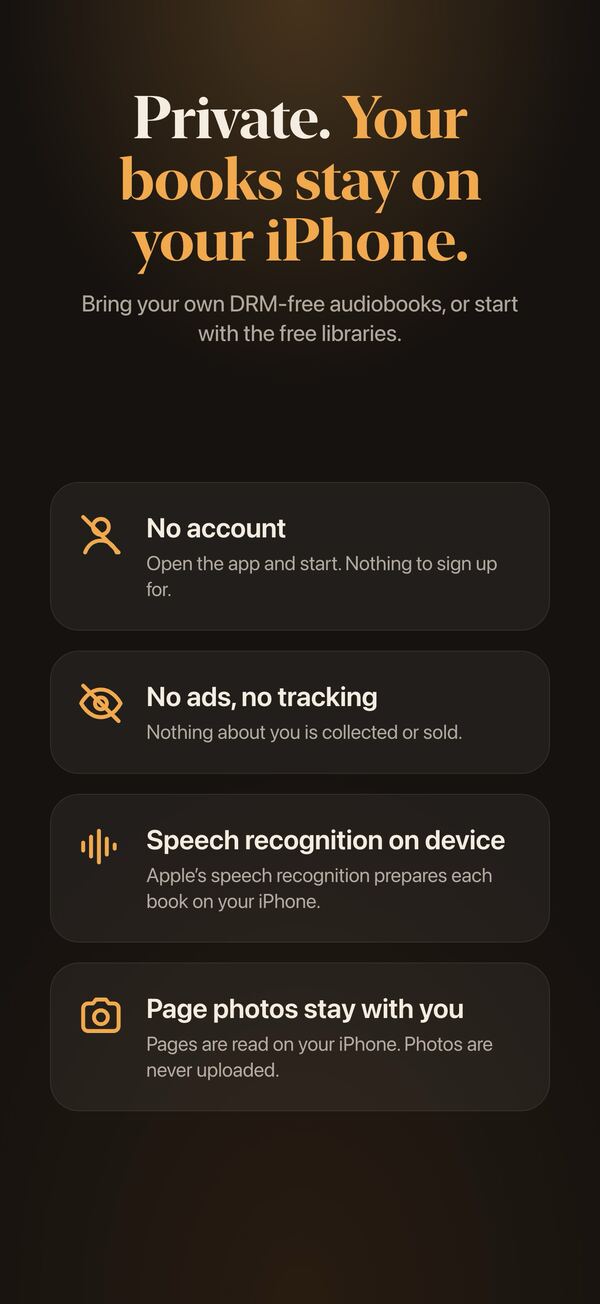
No account, no ads, no tracking. Works with audiobook files you own and free LibriVox audiobooks.
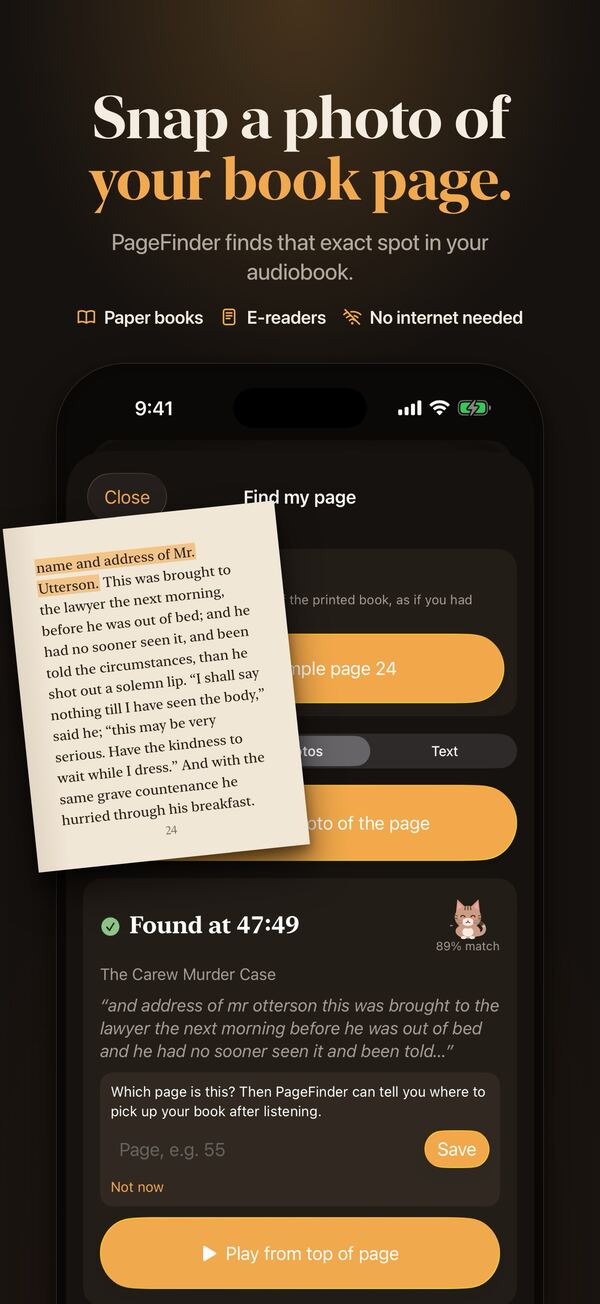
In one sentence: PageFinder is an iOS app that syncs a physical book with its audiobook, like Whispersync for paper books, by reading a photo of the page and finding the same words in the audio.
How it works
- Add the audiobook. Open an .m4b, .m4a or .mp3 file, a folder or .zip of chapter files, or pick a free audiobook from LibriVox inside the app.
- Let PageFinder prepare it once. The audiobook is transcribed on your iPhone or iPad with Apple's speech recognition. Nothing is uploaded. If you're in a hurry, type where you are (such as 43% or page 212) and it prepares just that part in moments.
- Tap Find my page and take a photo. PageFinder reads the page, finds those words in the audiobook and plays from the top of the page. You can also tap any line to start from that line, choose a photo, or type a sentence.
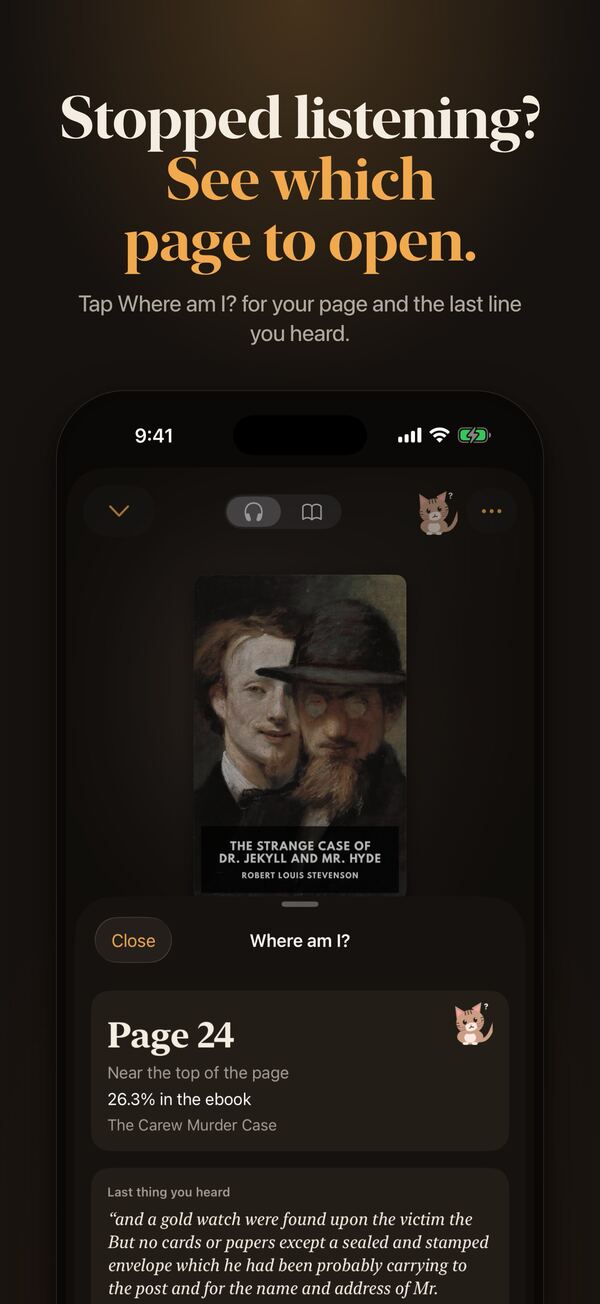
- Go back to the book. Tap Where am I? to see the page number to continue on and the last sentence you heard.
Screenshots
Who it's for
Read at home, listen on the go
Read the paperback in the evening, listen in the car or on a walk, and never hunt for your place in either.
Immersion reading
Follow the printed words while the narrator reads. Helpful for readers with dyslexia, people learning English and kids reading along.
E-reader owners
Works with a Kobo, Kindle or any screen too: photograph the screen, or type the percentage or location you're at.
Book clubs and classics
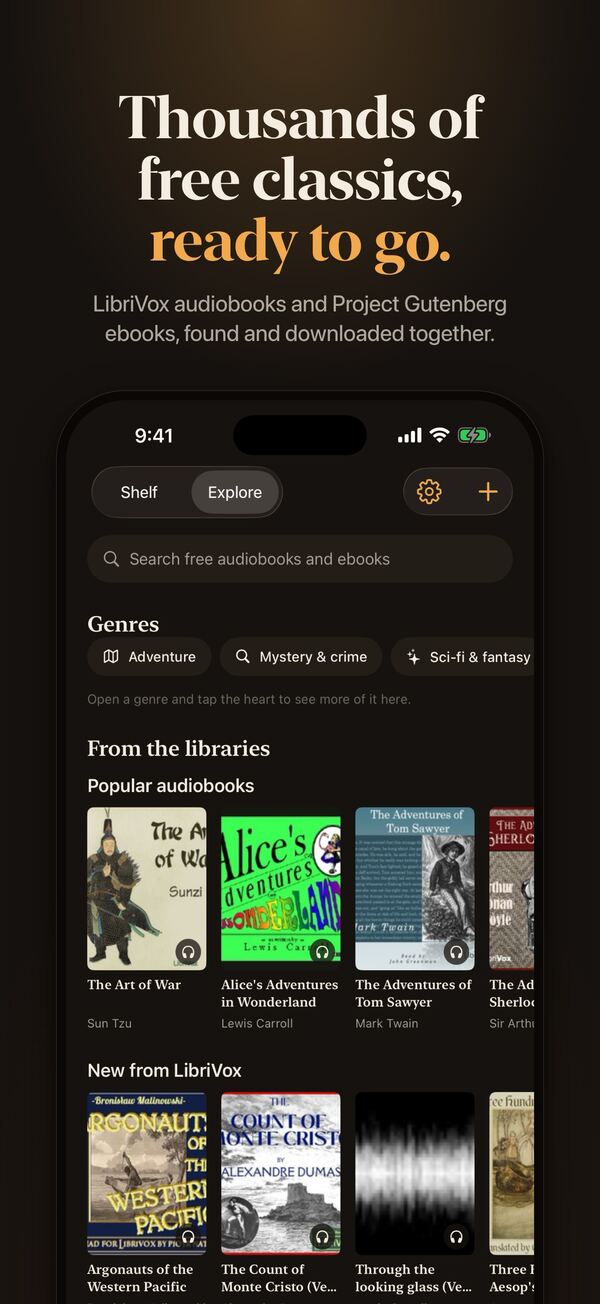
Thousands of free public-domain classics come paired: a LibriVox audiobook plus the Project Gutenberg ebook, ready to read along.
Features
- Page photo to audiobook position, usually in a fraction of a second once the book is prepared
- Audiobook position back to a page number, learned from the pages you photograph
- Find your place by e-reader percentage, page number or location
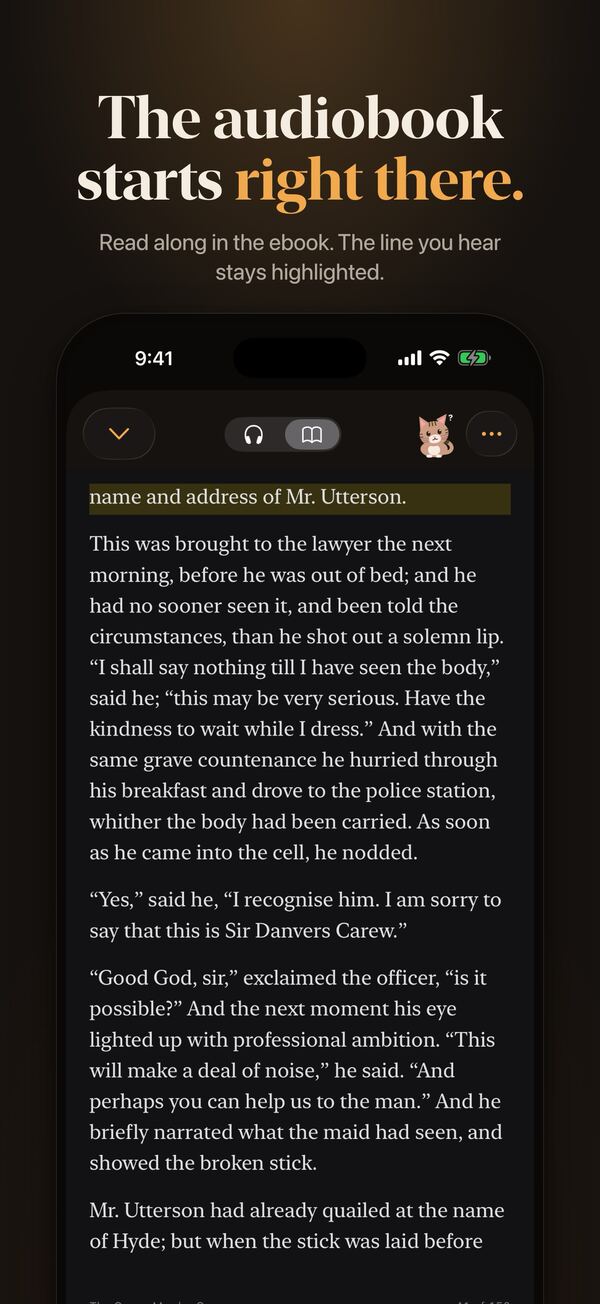
- Read EPUB ebooks in the app with the audiobook in step
- Chapters, bookmarks, playback speed and a sleep timer
- iPad: shelf and player side by side, two-page spreads and keyboard shortcuts
- Built-in demo, The Strange Case of Dr. Jekyll and Mr. Hyde, to see it work in seconds
What works and what doesn't
Works: DRM-free audiobooks, for example from Libro.fm, Downpour, LibriVox and Humble Bundle, in .m4b, .m4a or .mp3. DRM-free .epub ebooks. English audiobooks and pages.
Doesn't work: copy-protected audiobooks from Audible or Apple Books (.aa, .aax, .aaxc, .m4p). Apple and Audible don't let other apps open them. PageFinder needs iOS or iPadOS 26.2 or later.
Common questions
Is there an app that syncs a physical book with an audiobook?
Yes. PageFinder for iPhone and iPad does this. Take a photo of the printed page and it plays the audiobook from that page. Kindle's Whispersync for Voice only syncs Kindle ebooks with Audible, not paper books.
Does it upload my books or photos?
No. Transcription and page reading run on your device. There's no account and no analytics. See the privacy policy.
Does it work with Audible?
No. Audible and Apple Books titles are copy-protected and can't be opened by other apps. DRM-free audiobooks from stores like Libro.fm and Downpour work.